
Step 1
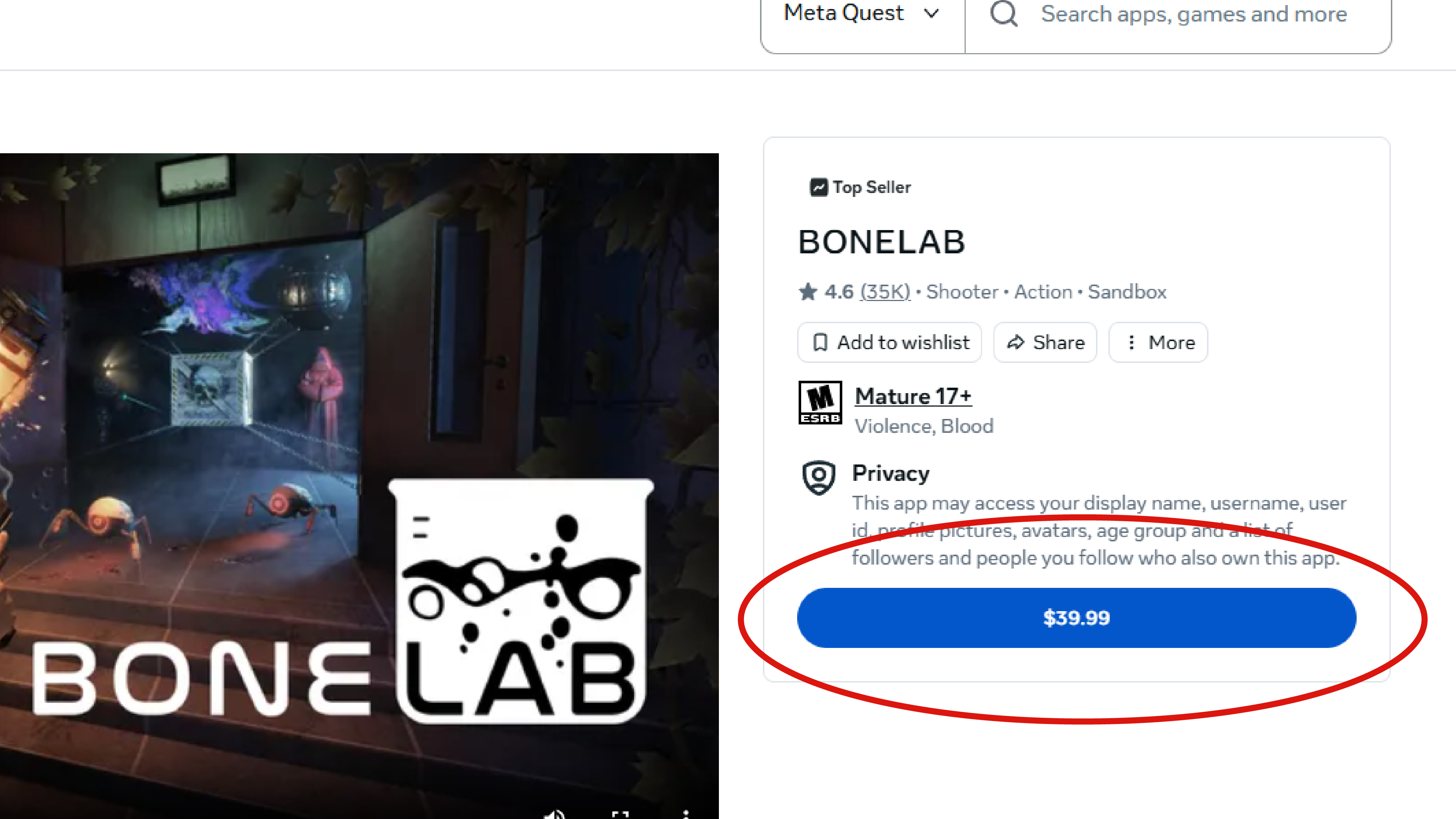
Choose an Eligible Game
Open the Meta Store...
Browse Meta Quest savings, VR hardware discounts, and other partner offers connected to VRCentral.
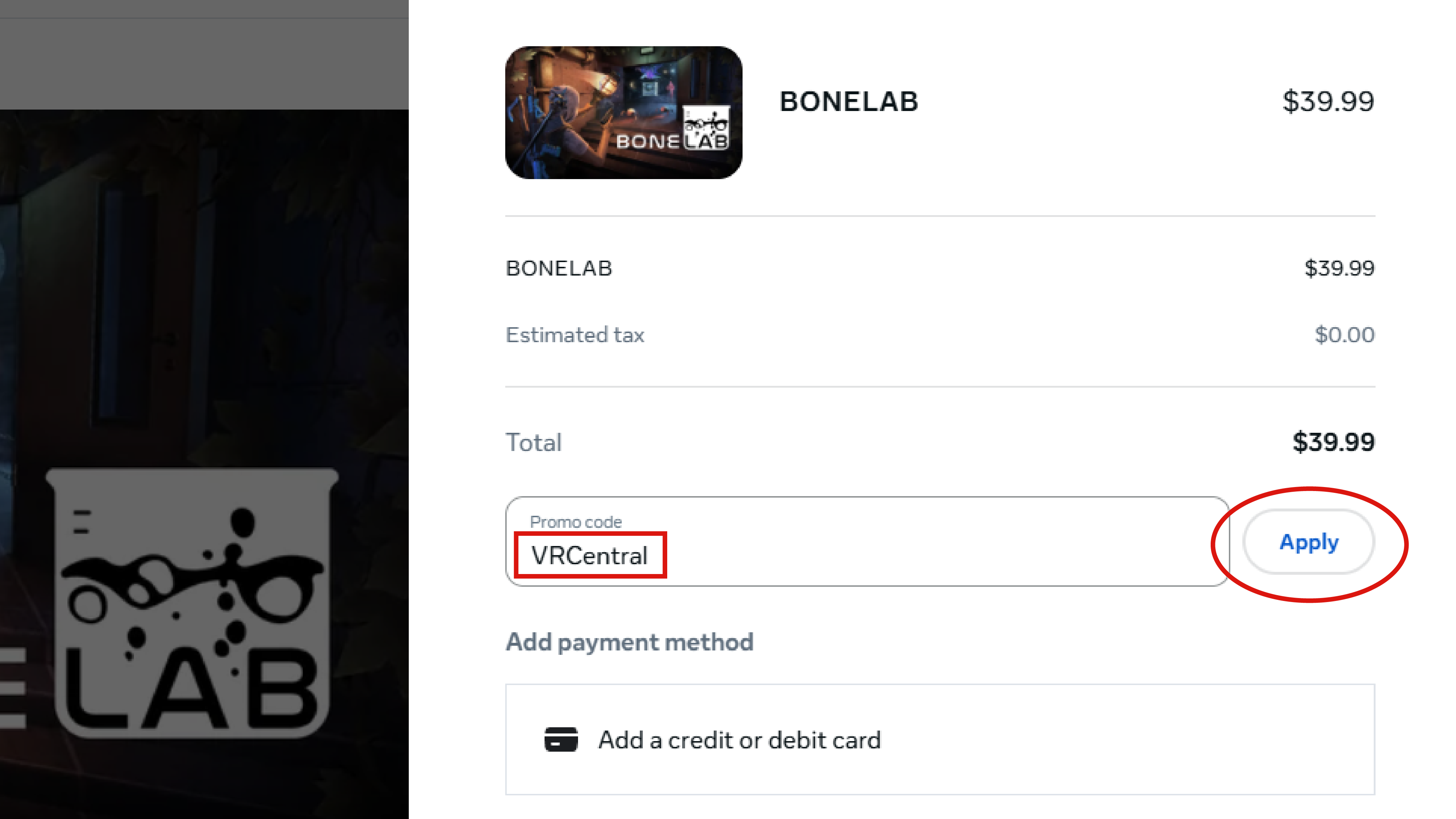
Choose an eligible game in the Meta Store, enter the current VRCentral promo code at checkout, and confirm that the discount appears before completing your purchase.
Open the Meta Store...
In the checkout window...
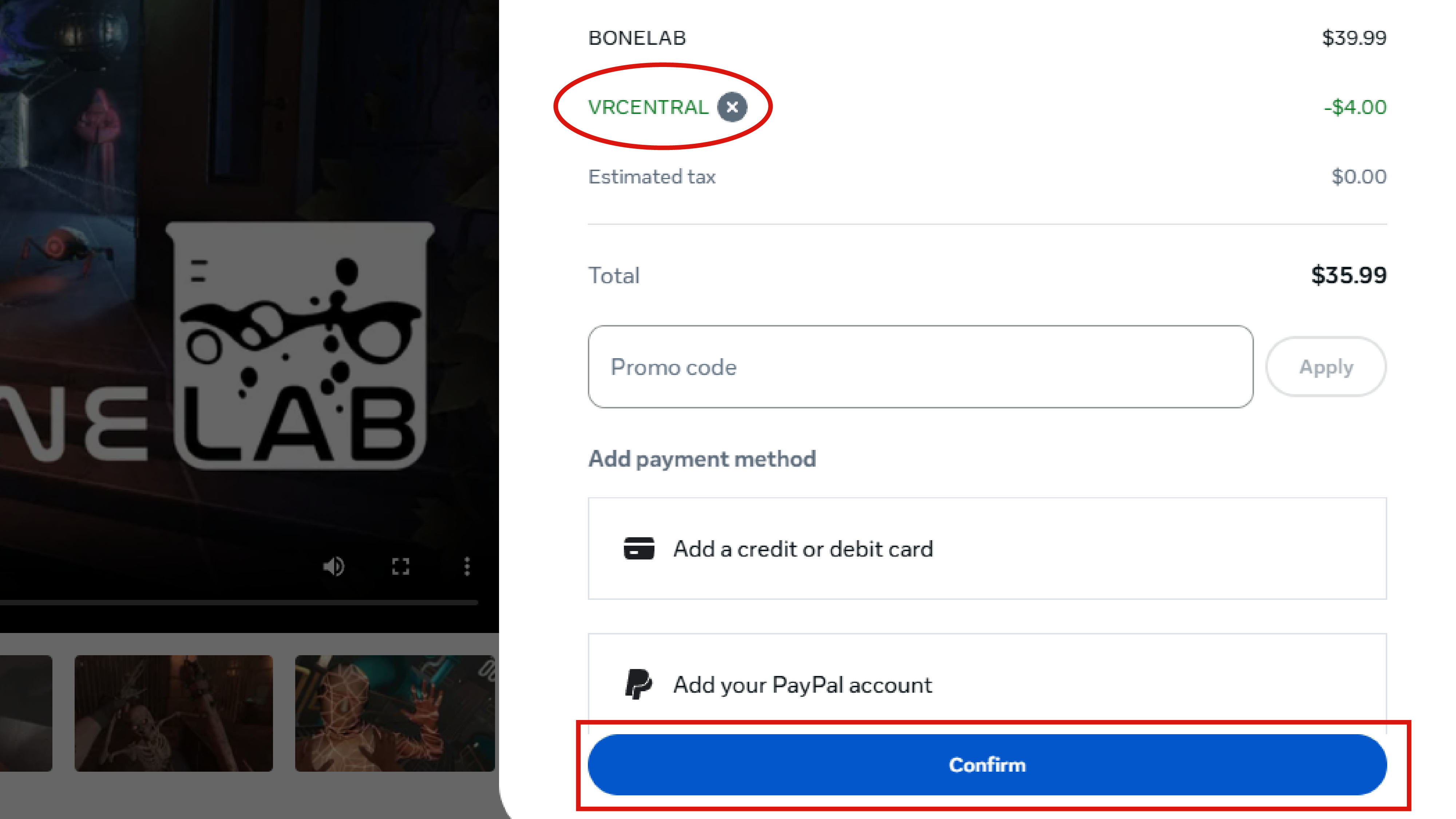
Once the promo is applied...
Use these partner discounts and promo codes on VR gear and accessories.
Additional offers that do not fall under games or VR hardware.
VRCentral collects promo-code instructions and partner offers for VR games, hardware, and related products. Eligibility, discount amounts, regions, and expiration dates are controlled by the store or partner and can change without notice. Always confirm the final price and terms shown at checkout before paying.
Some games, bundles, preorders, sale items, accounts, or regions may not accept a particular code.
A code is successful only when the store displays the expected discount before the order is placed.
Some links or codes may be partner links that support VRCentral. The partner controls the final price and terms.